
Ever shared a link on Instagram and wondered who clicked it? This question is big for creators, businesses, and users. They all want to know their audience better.
Tracking audience behavior is key. It helps you see if your posts are worth it. Knowing what works helps you plan better posts. Instagram link tracking gives you clues on what followers like.
In this guide, you’ll learn what Instagram’s analytics can show. We’ll talk about the difference between general stats and who clicked what. Plus, we’ll look at tools that can help track your Instagram profile better.
At first, instagram link analytics might seem tricky. Instagram gives some data but not all you might want. We’ll help you understand what’s important and how to get it.
Understanding Instagram Link Tracking Capabilities
Instagram has tools to track link clicks, but they vary by account type. It’s designed mainly for visuals, keeping users in the app. This limits the data you can get on link clicks.
The way Instagram tracks instagram traffic tracking is different from other platforms. It collects basic data but doesn’t offer deep insights. This is due to privacy and focusing on in-app interactions.
Tracking link clicks on Instagram depends on your account type. Personal accounts have limited access, while business and creator accounts get more. Switching to a professional account is free and unlocks valuable insights.
Instagram shows instagram link click statistics for three link types. Bio links are available to all, story links need followers or a badge, and ad links are for paid campaigns.
The metrics for monitoring instagram link activity include total clicks and tap-through rates. Instagram’s Insights dashboard on professional accounts shows this data. But, it doesn’t reveal who clicked your links.
Once you have a business or creator account, data collection starts automatically. Instagram tracks link taps and swipes up on stories. It then shows this data in aggregate statistics that update throughout the day.
You can see your link analytics for the past seven, 14, or 30 days. Instagram doesn’t offer real-time tracking. There’s a delay between a click and when it shows up in your stats, usually a few minutes to hours.
Knowing what instagram link click statistics can do helps set expectations. You won’t see who clicked, but you’ll get useful data on link performance. This data helps measure campaign success and understand audience behavior.
Instagram’s tech focuses on user privacy while giving creators and businesses useful analytics. It balances giving you enough data to improve your strategy without sharing too much about users. This approach fits with social media’s trend of protecting user info while helping businesses.
Can You See Who Clicks on Your Instagram Link?
Instagram keeps who clicks on your links private. So, when you ask “can you see who clicks on your instagram link,” the answer is no. You can’t see names, usernames, or profile details of link clickers.
This means you can’t tell who viewed your link. Instagram doesn’t give a list of users or details about who clicked your links. This rule applies to links in your bio, Stories, and any other links you share.
But, Instagram does offer valuable aggregate data about your links. You can see total click counts, demographic info, and traffic patterns. This data helps you understand your audience without knowing who clicked.
It’s key to know the difference between who views your link and the data you can get. You can’t see who clicked, but you can track total clicks, locations, age ranges, and gender distributions.
Creators might feel upset they can’t see who visits their link. But, this privacy helps everyone. It makes users feel safe clicking links, which can boost your engagement.
The idea of profile link click visibility is different from tracking profile visits. Both are kept private. Instagram’s consistent privacy policy builds trust among users.
Without seeing who clicked, the aggregate insights Instagram offers are very useful. You can see which content gets the most clicks, when traffic peaks, and which audiences engage most. These insights help you improve your content over time.
Knowing these limits helps you focus on what matters. Instead of worrying about individual clickers, you can look at overall trends. Use this data to make your content more engaging for your audience.
Using Instagram Insights for Link Analytics
If you have a business or creator account, Instagram Insights is a treasure trove of data. It shows how people interact with your links. Plus, it’s free and right in your Instagram.
Getting to instagram analytics is easy, on phone or computer. On mobile, tap the menu icon and choose “Insights.” On desktop, go to business.instagram.com. There, you’ll find lots of useful info about your account.
The dashboard shows data for different time periods. You can see metrics for the last 7, 14, or 30 days. This helps you spot trends and see how changes affect your results. You can compare week to week or look at monthly patterns in your Instagram link engagement.
The most important metric is under “Profile Activity” in your Insights. Look for the “Website Taps” metric. It shows how many times people clicked your bio link.
Instagram also tracks link clicks from stories with the link sticker. These clicks show up in story-specific insights. Each tap counts, so multiple clicks by one person are recorded.
Understanding these numbers is key. A high number of website taps means your call-to-action is working well. If you get lots of profile views but few clicks, your link might need a tweak.
Profile Activity Metrics
Instagram click data is more meaningful with other metrics. Profile visits show how many people saw your profile. If 1,000 visit and 100 click your link, you’re doing well.
Reach and impressions show how many people saw your content. Reach is unique accounts, and impressions are total views. These numbers help you see how well your content drives interest.
The “Accounts Engaged” metric shows likes, comments, shares, and saves. High engagement means more people are interested in what you offer. When your content resonates, people want to explore more.
Content Performance Data
Instagram engagement tracking lets you link posts to link activity. You can spot patterns by noting when clicks spike. Check which posts were live before the spike.
Story insights show direct connections between content and clicks. Link stickers in stories give you exact attribution. This makes stories great for testing different calls-to-action.
Also, check how different content formats perform. Compare weeks with more Reels versus static images. You might find video content or carousel posts work better for you.
The secret to mastering Instagram Insights is regular checks and pattern spotting. Set aside time each week to review your metrics. Over time, you’ll understand what motivates your audience to click and engage.
Tracking Instagram Bio Link Clicks
Your Instagram bio link is very important. It’s the most valuable clickable spot on your profile. Instagram bio link tracking helps you see how well your social media works for your business.
To see your instagram bio link clicks, go to Instagram Insights. Tap the menu icon in the top right corner. Then, choose “Insights” and look for “Website Taps” or “Website Clicks.”
The name might change based on your account type and app version. Business accounts usually find this info in the “Actions on Page” section. You’ll see how many clicks your bio link gets at different times.
To track instagram bio link well, check your data often. Look for patterns in when clicks happen. You might see more clicks after posting certain types of content or at specific times.
Instagram only lets you have one clickable link in your bio. So, making it count is key. Many creators use landing pages to link to different places. This way, they offer several options with just one bio link.
Try different links to see what works best. Change your bio link often and compare instagram bio link clicks. See which links get more visitors and adjust your plan.
Your bio text is also important for clicks. Make your calls-to-action clear. Say things like “Shop our latest collection” or “Get your free guide.”
Instagram Stories and posts are great for tracking link in bio visitors. When you post new content, tell followers to check your bio. Mention exclusive deals or more info.
A food blogger might update their bio link every week with new recipes. They remind followers to “grab the full recipe from the link in bio” with each post.
Small businesses often switch their bio link between new products, blog posts, and special pages. They watch which content gets the most views. Then, they make more like it. This way, they make smart choices based on data.
For better tracking, use UTM parameters on your bio link. These codes work with Google Analytics to give you detailed visitor info. You’ll know how much traffic Instagram sends to your site compared to other places.
Creating UTM parameters is easy. Just add tracking codes to your URL. This shows Instagram as the source and your bio link as the medium. It connects Instagram’s analytics with your website’s for a full picture of traffic.
A bio link tracker for instagram and Google Analytics give you lots of info. You can see which pages visitors go to after clicking from Instagram. You’ll also know how long they stay and if they do what you want them to.
To track instagram bio link success over time, use a spreadsheet. Record weekly click counts and what you posted. Also, track any changes to your bio or link. This helps you find what works best.
Regularly checking your bio link is more important than just doing it sometimes. Set a time each week to review your link’s performance. It only takes a few minutes but gives you insights into what your audience likes.
Instagram’s native metrics and tracking tools give you a lot of data. You’ll know not just how many clicks you get but what happens after. This complete view of instagram bio link tracking helps you make better marketing choices that grow your business.
For more on Instagram link tracking, check out how to see who clicks on your Instagram. You’ll find more ways to keep an eye on your social media.
Monitoring Link Clicks in Instagram Stories
Instagram Stories give you instagram link click insights to see how people interact with your content. This feature tracks more than regular posts, helping you measure engagement. You get to know what viewers like and what they’re interested in.
To add links to your Stories, you need 10,000 followers or a verified account. Instagram now lets more creators drive traffic with links. Before, only big accounts could use this feature, but now more people can.
You can view instagram link clicks by swiping up in your own Story. This simple action shows you detailed analytics. You can see how your Story is doing in real-time.
The Stories analytics dashboard shows important metrics. You’ll see total views, reach, and how many people clicked your link. The instagram story link analytics show who took action and who just watched.
One key metric is your link click-through rate. A 5-10% rate is good for most accounts. This rate shows what content works best.
Where you put your link sticker matters a lot. Put it in the middle or upper third of your Story. Avoid the bottom or top where thumbs might cover it.
Good design draws eyes to your link. Use colors, arrows, or animations to guide viewers. This makes them more likely to click.
Your call-to-action text is very important. Use specific commands like “Get the recipe now.” This makes people curious and more likely to click.
Timing is key for link engagement. Post when your audience is most active. Most accounts do best during lunch and evening hours.
Creating urgency can boost clicks. Use phrases like “24-hour sale” to make people act fast. Stories are temporary, so this works well.
Creators should test different Story formats. Behind-the-scenes content and product showcases often work well. Find what your audience likes most.
Looking at your instagram story link analytics over time helps you understand your audience. You might find that certain types of Stories do better on certain days. Use this to plan your content better.
Many creators suggest posting multiple Stories with a link. This builds interest before asking for a click. The first Story grabs attention, and the next frames add value and the link.
Try different visual styles to improve your link performance. Use interactive elements like polls before your link. This makes viewers more likely to click your link.
Consistency is key to building link click momentum. Regular Stories with valuable links train your audience. Over time, they’ll look forward to your links because they trust your content.
Third-Party Tools for Advanced Instagram Link Tracking
Want to know more about your instagram link click analytics than Instagram shows? Third-party tools give you detailed visitor info Instagram can’t. They track link performance, show where visitors come from, and what devices they use.
These tools turn simple click counts into useful bio link metrics. You’ll see which links work best, when your audience is most active, and how they move through your content. This info helps you make better Instagram choices.
Many creators and businesses use Instagram Insights with special tools for a full picture. While Instagram shows click counts, these tools show what happens next. Let’s look at the best ways to track instagram link visitors well.
Linktree Tracking Features and Visitor Insights
Linktree is the top bio link tool, and its analytics explain why. The free version tracks each link’s clicks. You see total clicks, top links, and basic traffic patterns.
Paying for a Linktree plan unlocks more features. You get where visitors are from, device info, and traffic sources. The instagram link monitoring tools in the premium tiers also track click-through rates and conversions.
The analytics dashboard shows data in easy charts. You can view by day, week, or month to spot trends. For serious creators, the Pro plan adds email capture analytics and Google Analytics integration for deeper instagram traffic analytics.
Beacons Analytics Dashboard
Beacons is an all-in-one platform for creators who make money from their content. Its analytics track more than just link clicks. It shows bio link metrics alongside sales, email signups, and bookings.
Beacons is special because it focuses on conversion tracking. You see which Instagram posts make the most money, not just clicks. It connects your content to your income, showing what works for your business.
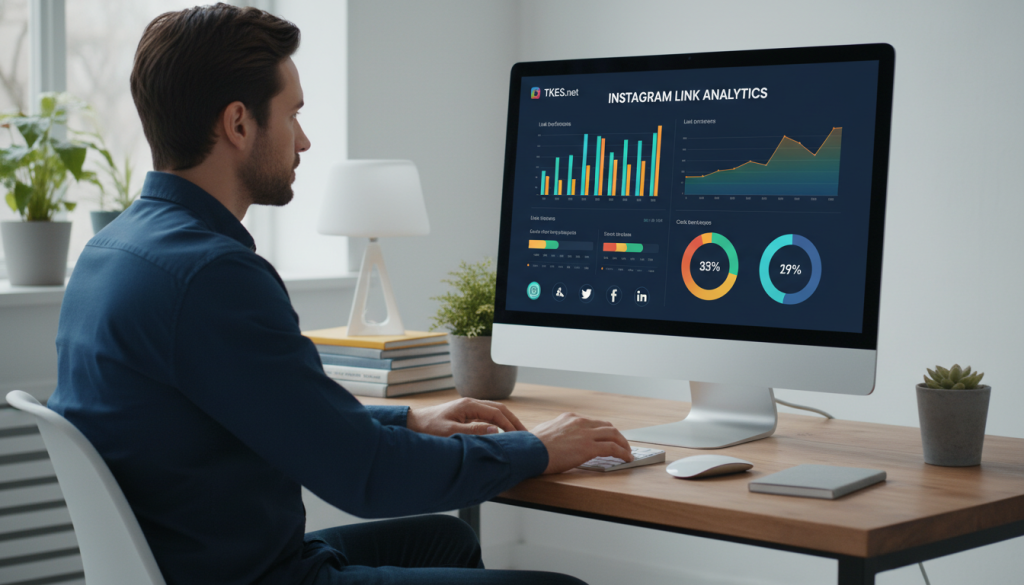
The audience demographics feature gives detailed visitor info. You learn about age ranges, interests, and engagement patterns. This helps you create content that resonates with your audience.
Shorby, Milkshake, and Other Bio Link Tools
Shorby offers unique features like messenger integration tracking. You can see how many people click to WhatsApp, Telegram, or other apps. It’s great if you use direct messaging in your instagram link monitoring tools strategy.
Milkshake focuses on mobile with beautiful, swipeable landing pages. Its analytics focus on mobile behavior. You’ll see how people scroll and which cards grab attention. It works from your phone, perfect for mobile creators.
Later combines Instagram planning with link tracking. You can schedule posts and see their traffic performance. This connection helps refine your posting strategy over time.
Tap Bio offers advanced analytics rivaling standalone tracking platforms. You get heat maps, traffic source breakdowns, and A/B testing. It lets you experiment with layouts and see which converts best.
Using Bitly to Track Instagram Link Traffic
Bitly shortens any URL you share, unlike bio link tools. This flexibility means you can track links in Stories, DMs, or anywhere. The shortened links look clean and collect valuable data.
Making a custom short link takes seconds. Just paste your long URL, and Bitly creates a compact version. Every click gets tracked automatically. The dashboard shows clicks in real-time, perfect for monitoring instagram traffic analytics during campaigns.
Bitly’s analytics include geographic info and referral data. You see where visitors are from and which platforms drive traffic. This helps you understand if your Instagram audience clicks more than followers from other networks.
Bitly’s free plan is great for most users. Paid tiers add branded domains, custom link back-halves, and deeper integration. You can export data for further analysis or share reports with your team.
Rebrandly for Branded Link Analytics
Rebrandly creates branded short links that build trust and offer detailed bio link metrics. You use your own domain name, making links more recognizable and clickable.
The platform tracks link performance in detail. You see total clicks, unique visitors, and click patterns over time. Instagram link click analytics get better with UTM parameters for tracking specific campaigns.
Setting up UTM tracking with Rebrandly is easy. It helps you build tracking URLs that work with Google Analytics. This lets you follow visitors from Instagram to your website and see their actions.
Rebrandly’s conversion tracking shines with multiple campaigns. You can create different branded links for various Instagram posts and compare them. The data shows which content types drive the most valuable traffic.
Rebrandly integrates with popular marketing tools like Zapier. This makes it easy to automate workflows. When someone clicks your Instagram link, you can trigger actions in other apps. This sophistication is great for businesses serious about instagram link monitoring tools and conversion optimization.
Choose your tool based on your needs. Content creators often prefer Beacons or Linktree’s premium features. Businesses running campaigns benefit from Bitly or Rebrandly’s tracking. Casual users find free versions of most platforms provide enough insights to improve their Instagram strategy.
Best Practices for Monitoring Instagram Link Engagement
To track Instagram link engagement well, you need the right tools and approach. You don’t need complicated software or to spend hours every day. It’s all about finding what works.
Make a plan to check your analytics regularly. If you post every day, check weekly. For less frequent posts, check every two weeks or monthly. The aim is to spot trends, not every little change.
Use a simple system to track your key numbers over time. A basic spreadsheet with columns for date, total link clicks, follower count, and click-through rate is enough. Add notes about special campaigns or viral posts to help you understand later.
Knowing what’s normal helps set realistic goals. Most Instagram accounts see a 1-3% click-through rate from followers to bio links. For example, if you have 10,000 followers, 100-300 link clicks is normal. Your industry and content type can change these numbers, so track your own baseline.
Look at trends, not just one day’s numbers. A slow day doesn’t mean a problem, but three weeks of fewer clicks is worth looking into. Find patterns that happen weekly or monthly to understand your audience’s behavior.
Link your clicks to specific content and campaigns. Note which posts get the most traffic to your bio link. See if certain topics, content formats, or times get more engagement. This turns link monitoring into a strategic tool.
Create a simple dashboard to show your key metrics at a glance. Use Google Sheets, Excel, or a dedicated tool for this. Having a centralized tracking location saves time and shows patterns quickly. Update it regularly on your chosen schedule.
Act fast when you see unusual spikes in traffic. Viral content, influencer mentions, or successful campaigns are worth noting. Sudden drops might mean technical issues or platform changes that need fixing.
Focus on the metrics that matter most for your goals. E-commerce accounts should track conversion rates, while content creators might look at time spent on linked pages. Pick three to five core metrics to track, not everything.
Be careful with analytics and respect your audience’s privacy. Focus on aggregate data, not individual behavior. Most analytics tools provide useful info without invading privacy.
Consistency is key, not constant checking. Stick to your schedule and use insights to improve. The goal is to keep getting better, not to be perfect. Small, steady gains in click-through rates add up over time.
Strategies to Increase Instagram Link Click Rates
Getting more clicks on your Instagram links is easier than you think. The trick is to make content that makes people want to click. Let’s look at some ways to boost your click-through rates.
Start with calls-to-action that grab your followers’ attention. Instead of saying “click the link,” tell them what they’ll get. For example, “Get your free meal planning template” or “Shop this look before it sells out” gives a clear reason to click.
Make your call-to-action urgent when you can. Limited-time offers or exclusive content make people click now, not later. By checking your instagram traffic monitoring results, you can see what works best for your audience.
Use the “link in bio” trick by mentioning your link in your posts. In captions, Stories, and Reels, remind followers to check your bio for links. Say things like “tap the link in my bio to learn more” or “full tutorial linked in my profile” to guide them.
Keep your call-to-action elements consistent. When followers see your signature link sticker design or specific color scheme, they know you’re sharing something valuable. This recognition, along with instagram traffic insights, helps you see what drives engagement.
Create content that naturally encourages people to click by addressing their needs and interests. Share exclusive content, like detailed tutorials or behind-the-scenes footage, only through your link. Fashion brand Reformation does this well by showing outfit sneak peeks in Stories and directing followers to shop the full collection via their bio link.
Offer valuable resources that solve problems your audience faces. Educational accounts like Later share social media tips and provide in-depth guides and tools through their links. This builds trust and naturally encourages clicks. Your instagram click statistics will show which resources are most popular.
Make sure your links work well on mobile devices, as most Instagram users access it on phones. Test your landing pages on different devices to ensure they load quickly and look good.
A slow-loading page can be frustrating and damage your credibility, even if your Instagram content is great. Food blogger Half Baked Harvest has fast-loading recipe pages with clear formatting, making it easy for followers to access the content they promised. This focus on user experience shows up in their instagram profile click insights as higher engagement rates.
Different strategies work for different niches and audiences. E-commerce brands like Glossier use product teasers and limited drops to drive link clicks, while educational creators like Neil Patel share valuable insights and direct followers to blog posts. Study successful accounts in your niche to find patterns that might work for your audience.
Try different call-to-action phrases, posting times, and link destinations to see what works best. Run one test at a time to clearly see which changes improve your click rates. Your instagram link click data helps you make informed decisions.
Test different Story formats to see which ones get more link clicks. Some audiences like interactive elements, while others prefer straightforward information. Track the results of each approach to find what works best for you.
Balance promotional content with genuine value to keep your audience’s trust. Nobody wants to follow an account that only pushes sales. Aim to provide value in 80% of your content and promote in 20%, though this ratio can vary by industry.
Beauty brand Fenty Beauty strikes a balance by sharing makeup tips, tutorials, and user-generated content alongside product promotions. Their audience stays engaged because they receive consistent value, making them more receptive to promotional links. Regular instagram traffic monitoring helps you see if your promotional frequency is right.
Use Instagram Reels creatively to drive link clicks by teasing valuable content that requires a click to complete. For example, start a tutorial in a Reel but save the final steps for your blog or YouTube channel. Fitness trainer Kayla Itsines effectively uses this technique by showing exercise demonstrations in Reels, then directing followers to her app for full workout programs.
Carousel posts offer another strategic opportunity to encourage link clicks. Use the first few slides to build interest or provide partial information, then use the final slide as a clear call-to-action directing people to your bio link. This format works well for before-and-after content, step-by-step processes, or product showcases.
Interactive Stories create engagement that naturally leads to link clicks. Use polls to understand your audience’s interests, then follow up with relevant linked content. Quiz stickers can assess knowledge levels before directing followers to educational resources. These tactics make your instagram profile click insights more meaningful by attracting genuinely interested visitors.
Consistency in posting schedule and messaging reinforces your call-to-action effectiveness. When followers know you regularly share valuable linked content, they develop a habit of checking your profile. Consistent placement of link stickers in Stories also trains your audience where to look when they want to take action. Analyzing your instagram click statistics over time reveals which consistency strategies yield the best results.
Building trust takes time, and your click rates will improve as your audience becomes more familiar with the value you provide. Focus on creating genuinely helpful content first, and the clicks will follow naturally. Every strategy you implement should serve your audience’s needs while aligning with your business goals.
Conclusion
You can’t see who clicked your Instagram bio link one by one. But, the data you get is very useful for growing your account. Instagram keeps your click data private by showing overall stats, not who clicked.
Business accounts can see link clicks through native Insights. This lets you track who’s visiting your bio link. Stories also show swipe-up metrics for accounts with 10,000 followers, giving you live data.
Tools like Bitly, Linktree, and Google Analytics help track visitors more deeply. They give detailed analytics on who’s visiting your profile. This helps you understand what your audience likes.
Start with one method from this guide. Check your link click stats often and change your content based on what you find. The data you get is enough to make smart choices.
Good Instagram marketing is about understanding trends, not spying on people. The analytics Instagram offers respect privacy while giving you useful info. Use these tools well, think about your data, and improve your content. With time, you’ll get better at tracking link traffic and reach your goals.